ZenDeck
Inspired by Xbox OS and SteamOS, ZenDeck brings a clean, console-like launcher experience to your PC, fast, elegant, and built for gamers.
Need help installing?
Read the complete setup guide →
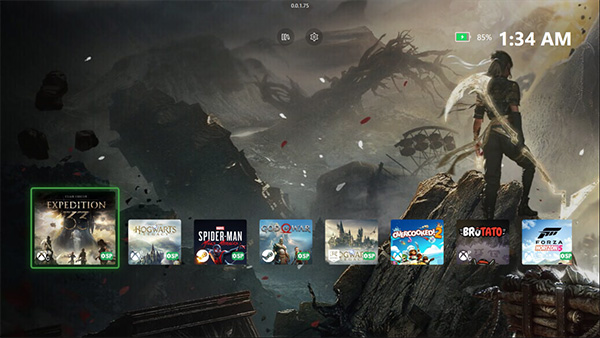
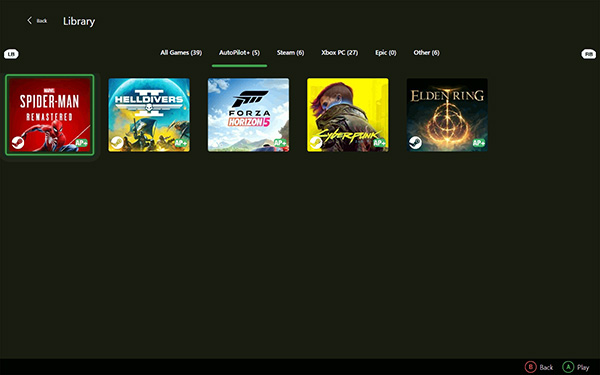
Game-Specific Optimization (AutoPilot – Smart Profiles)
AutoPilot – Smart Profiles automatically applies pre-optimized, game-specific profiles tailored to your device before launch.
These profiles adjust:
- In-game graphics settings
- Display resolution
- Supported AMD GPU features (such as RSR or AFMF)
All profiles are based on real, in-game configuration files, allowing ZenDeck to launch games already optimized, with no manual tweaking required.
Smart Profiles Ready Games
- Clair Obscur: Expedition 33 (Game Pass) New
- Cyberpunk 2077 (Steam)
- Elden Ring (Steam)
- Forza Horizon 5 (Game Pass)
- God of War (Steam) v0.0.1.70+
- Helldivers 2 (Steam)
- Hogwarts Legacy (Epic / Game Pass)
- Marvel's Spider-Man Remastered (Steam)
- Marvel's Spider-Man: Miles Morales (Steam)
- Need for Speed: Heat (EA) New v0.0.1.80+
- Star Wars Jedi: Survivor (EA) New v0.0.1.80+
This list will continue to grow as Smart Profiles are validated across more games and devices.
Learn more about Smart Profiles
Read the post
AI Performance Model (AutoPilot – Dynamic TDP)
An intelligent model analyzes multiple system metrics, CPU/GPU usage, temperature, FPS, and more, to dynamically adjust TDP and optimize efficiency. It also performs software-based VRR, matching the display's refresh rate to in-game FPS to save battery and improve smoothness.

Game Bar Widget & Game Profiles
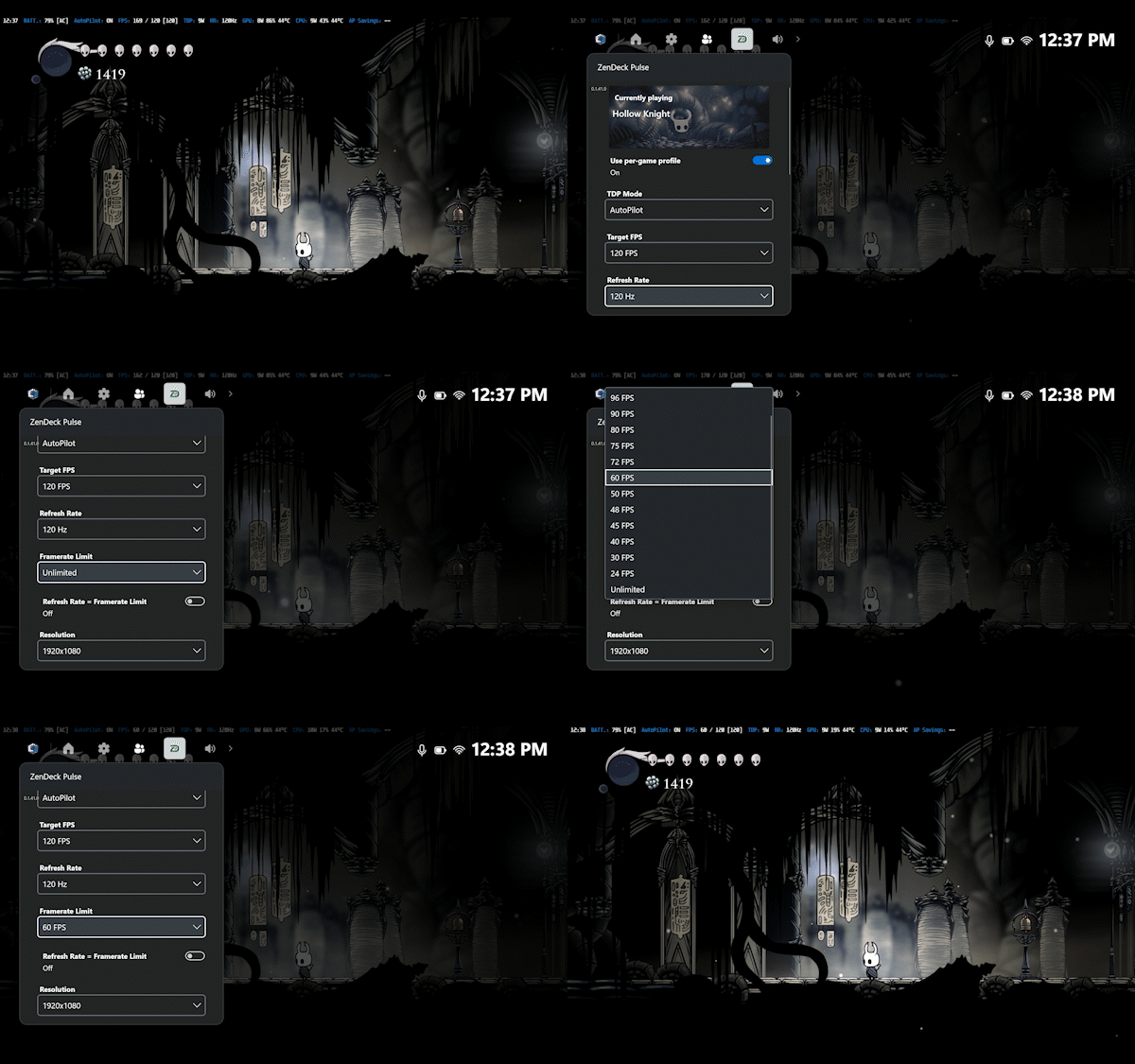
You can close the game directly through the game bar. Create per-game profiles or use a global profile to manage your preferred TDP, refresh rate, resolution, and AMD options such as RSR, AFMF, Radeon Boost, Anti-Lag, and Image Sharpening.
Boot Videos & Immersive Mode
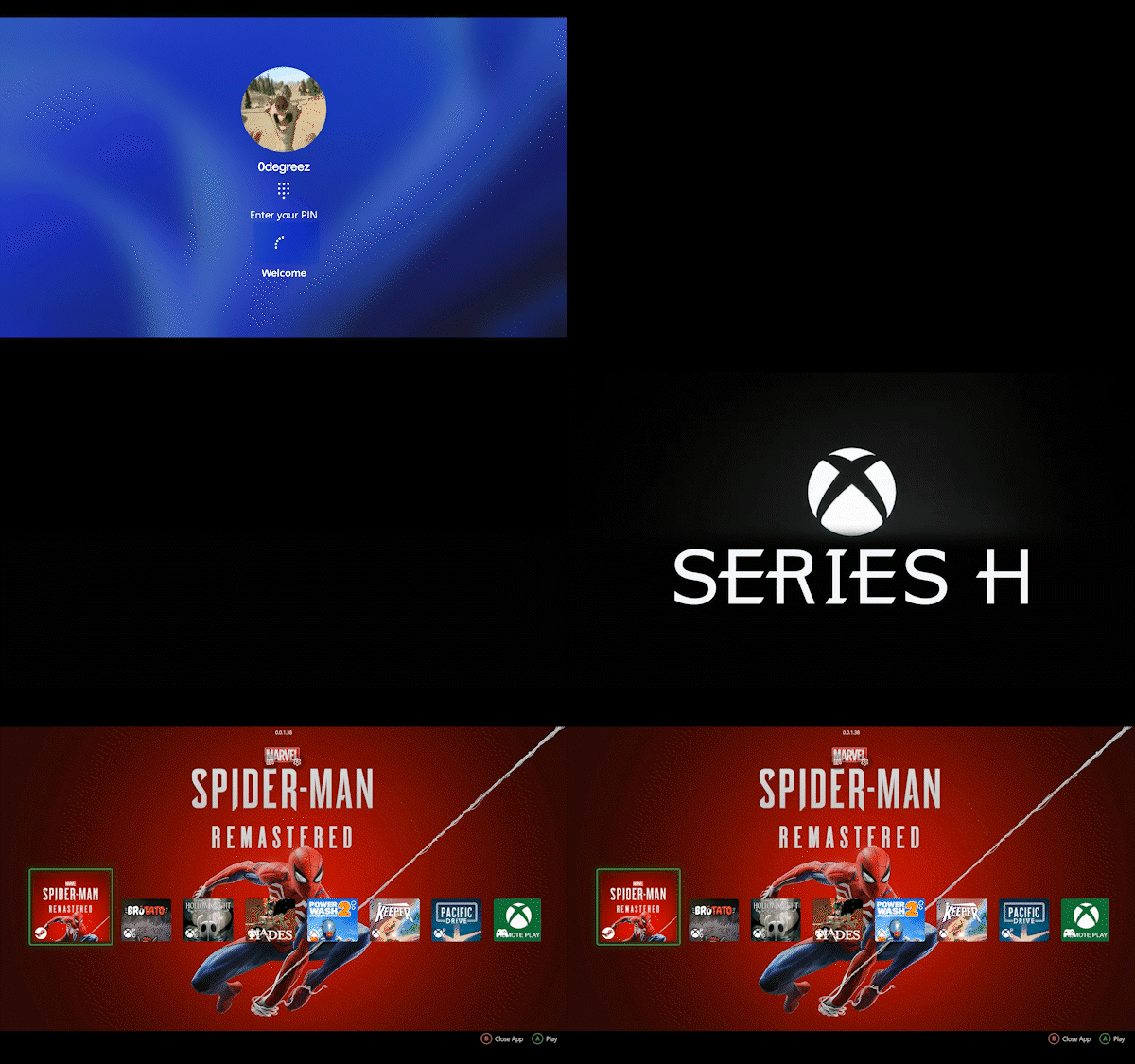
Customize your startup with cinematic boot videos that make your handheld feel like a true console. ZenDeck also integrates with Windows Full Screen Experience (FSE) when enabled in ZenDeck settings, delivering a smooth and fully immersive launcher mode.
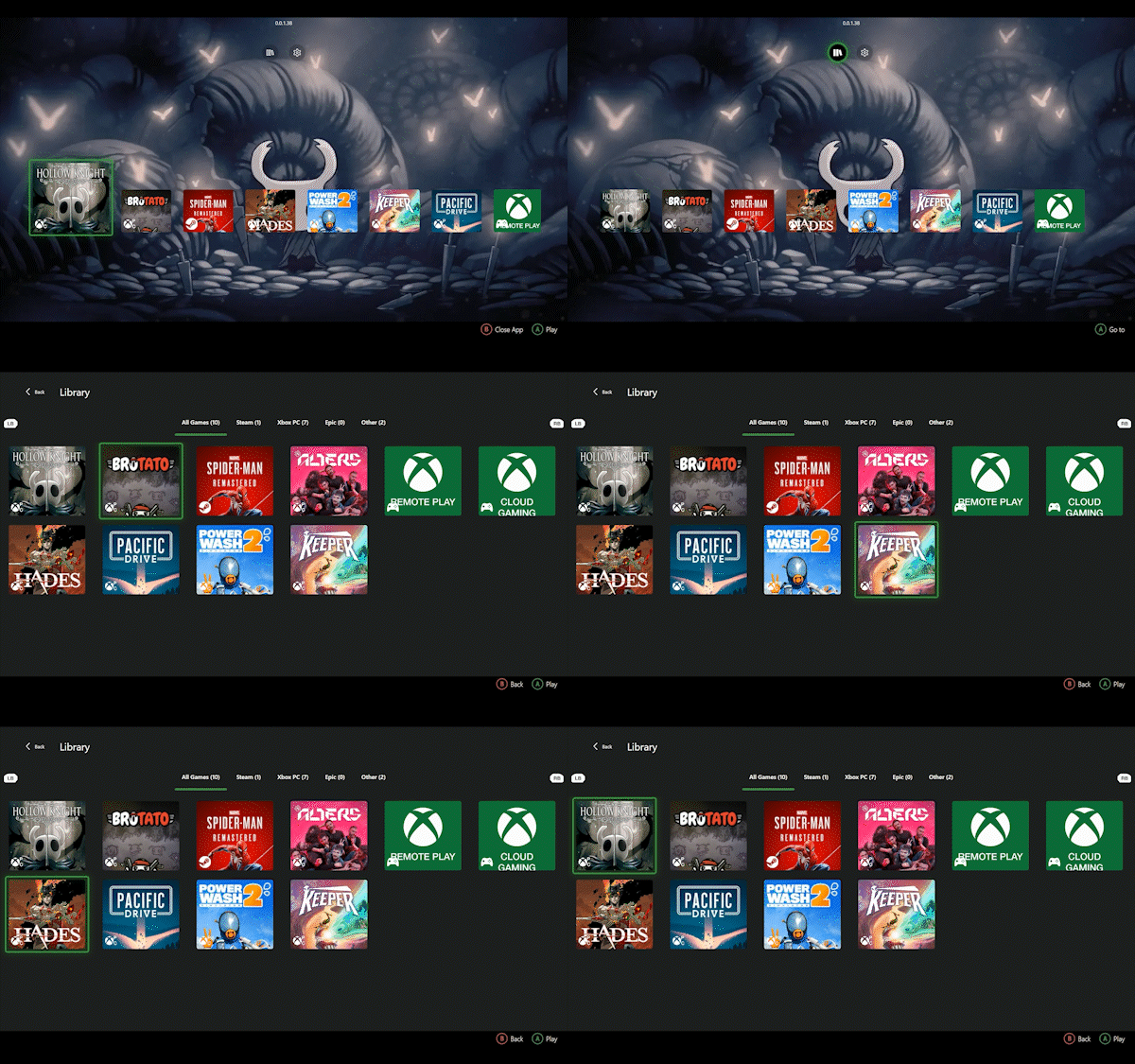
Controller-First UI for Handhelds
Navigate the entire launcher with your gamepad, no keyboard or mouse needed. Built for AMD handhelds like Legion Go, ROG Ally and ROG Xbox Ally, with responsive layout and touch support.
Development & Updates
ZenDeck is actively evolving through early development. You can follow recent fixes, improvements, and milestones here.
View ZenDeck changelog →