Introducing
ZenDeck.
Windows gaming, as it should be.
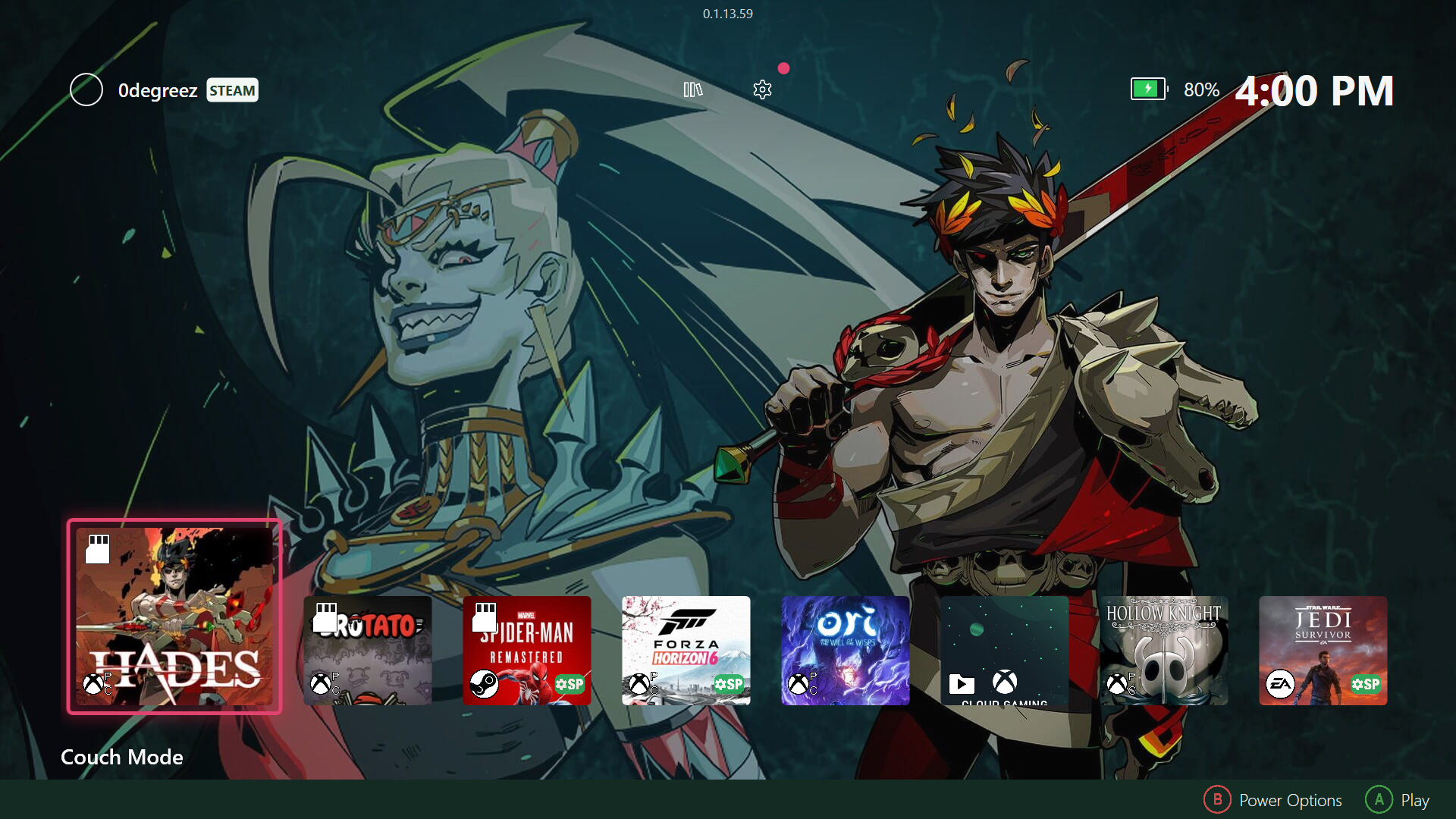
A lightweight, controller-friendly launcher for Windows gaming. Open it, pick a game, and play.
Introducing
Windows gaming, as it should be.
A lightweight, controller-friendly launcher for Windows gaming. Open it, pick a game, and play.
Steam, Xbox / Game Pass, Epic, GOG, Ubisoft, EA, Amazon and Itch — all in a lightweight, controller-friendly launcher.
Use automatic store groups, create custom groups, pin them to Home, or hide anything you don’t want in the way.
Smart Profiles and Dynamic TDP help apply the right behavior per game, so setup gets out of the way before you play.
Windows gaming is powerful, but it can still mean setup, configuration, and friction.
ZenDeck makes it simpler.
AutoPilot applies the right settings when you launch a game — Smart Profiles, Dynamic TDP, and hardware behavior working together in the background — so you can open ZenDeck, pick a game, and play.
Community-validated settings for your game, on your device. Applied in one tap — no Reddit threads required.
ZenDeck monitors your device in real time and adjusts TDP on the fly — more when you need it, less when you don't.
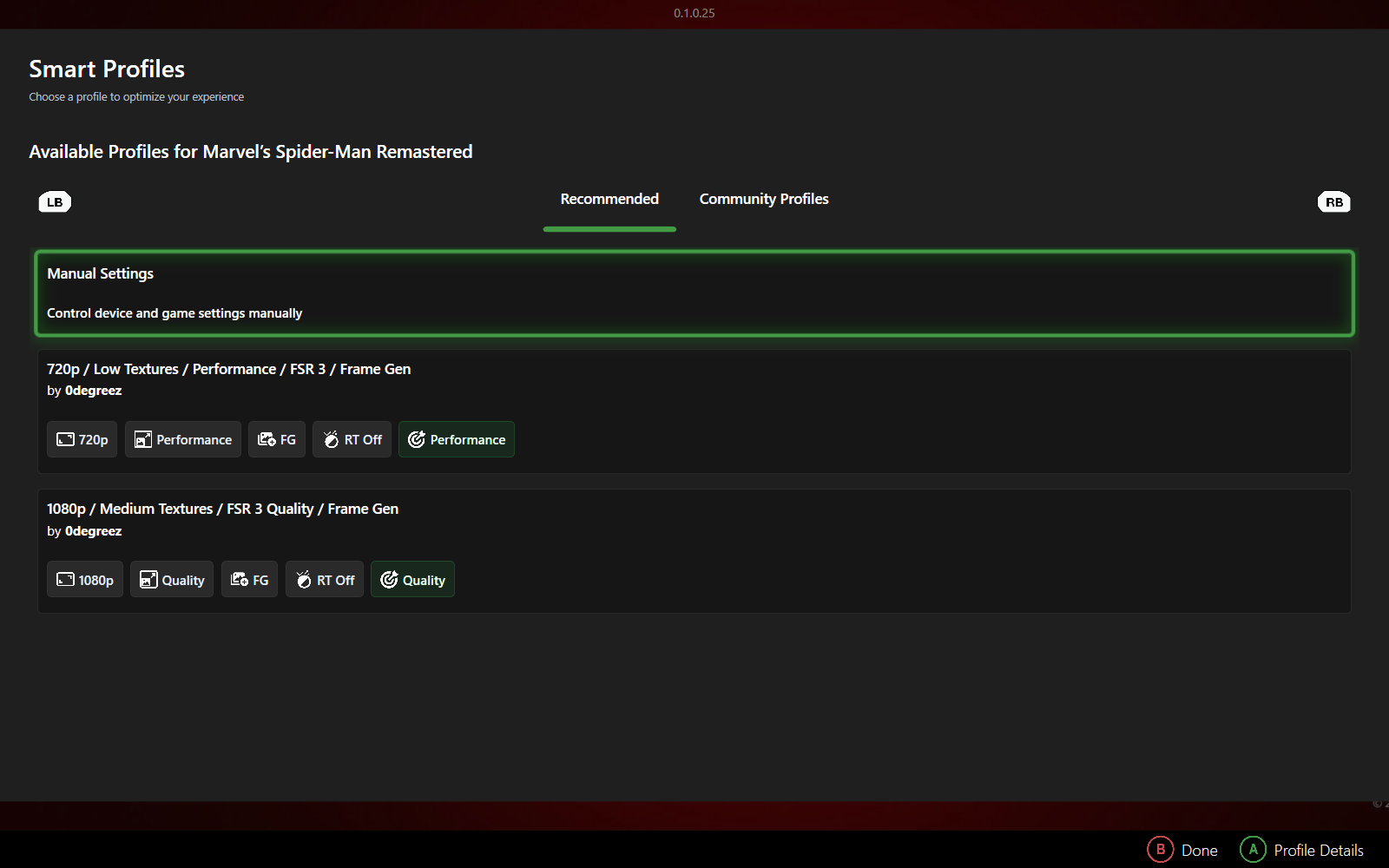
You've seen it a hundred times — someone asks in a forum or a Discord: "what settings should I use for this game on my ROG Ally?" The replies point to a Reddit thread, a YouTube video, a wall of text. You try it. It kind of works. Maybe.
Smart Profiles fix that. The community creates validated configurations — textures, shadows, resolution, FSR, AFMF, RSR — and you apply them with one tap. No searching. No guessing. Just the best settings, ready to go.
Ready to play optimized, right out of the box.
ZenDeck monitors CPU and GPU load, temperatures, and frame behavior in real time while your game runs. When the game demands more, TDP rises. When it doesn't, ZenDeck pulls back — saving battery without you ever noticing.
No profiles to configure. No sliders to tune. It just works, in the background, the entire time you play.
Set up your SD card once — ZenDeck scans it, links your games to your device, and remembers everything. After that, insert the card and your games appear. Remove it and they're gone, clean.
No history pollution. No orphaned entries. Like a Nintendo Switch cartridge, reinvented for Windows.
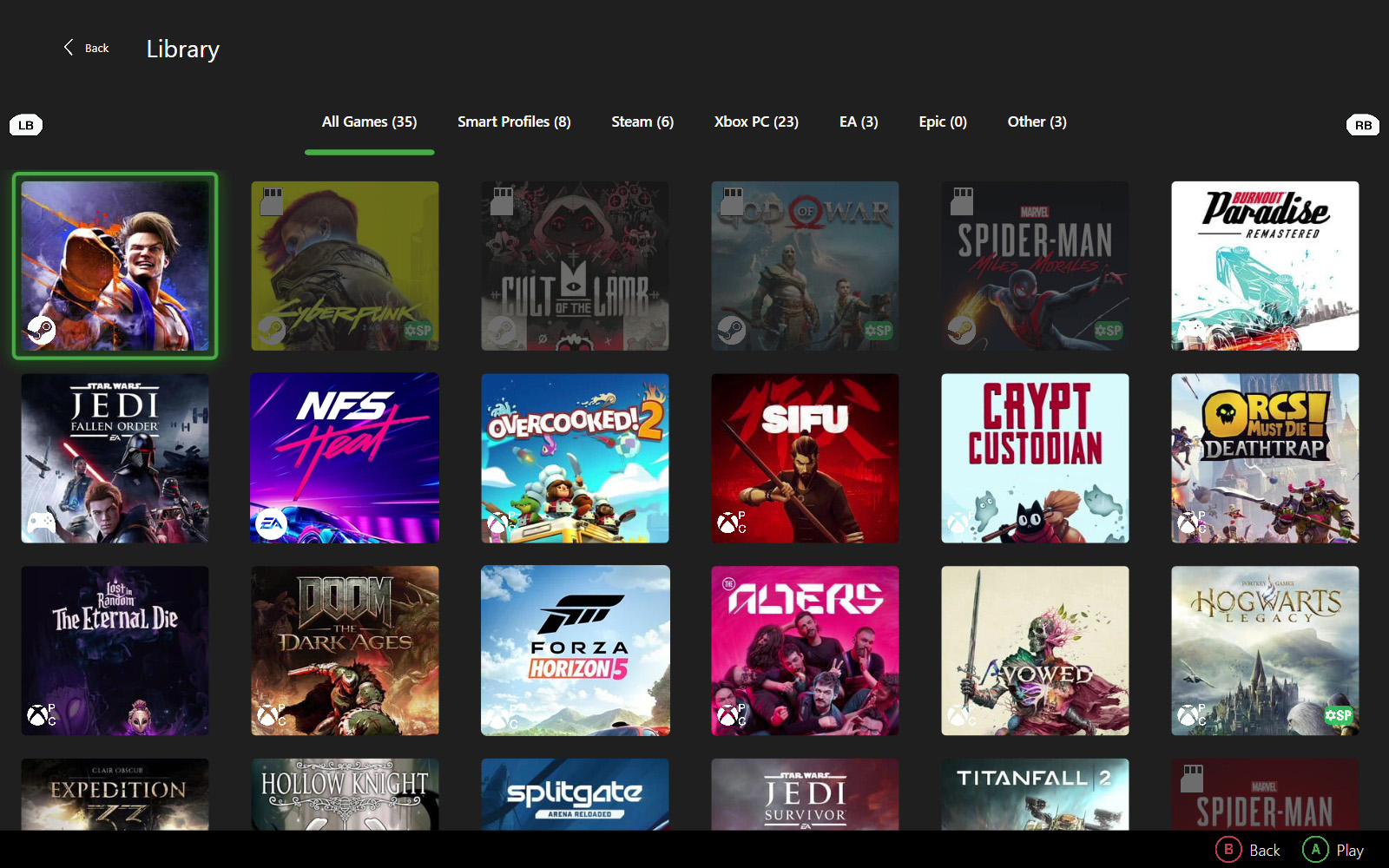
Steam. Xbox / Game Pass. Epic. EA. GOG. Ubisoft. Itch. Amazon. ZenDeck sees them all and brings them together in a single, beautiful view. Stop switching launchers. Start playing.
ZenDeck integrates natively with Windows Xbox mode. It becomes the home of your device — not just an app, but the experience itself. Configured once at install. No UAC prompts, ever.
Sleep your device. Wake up to a crashed game. There are apps for that.
With ZenDeck, you don't need them. Sleep, and your game freezes in place. Wake up exactly where you left off. With ZenDeck, supported games can be suspended before sleep and restored on wake.
Sleep your device, come back later, and continue where you left off — without
turning every quick break into a full restart.
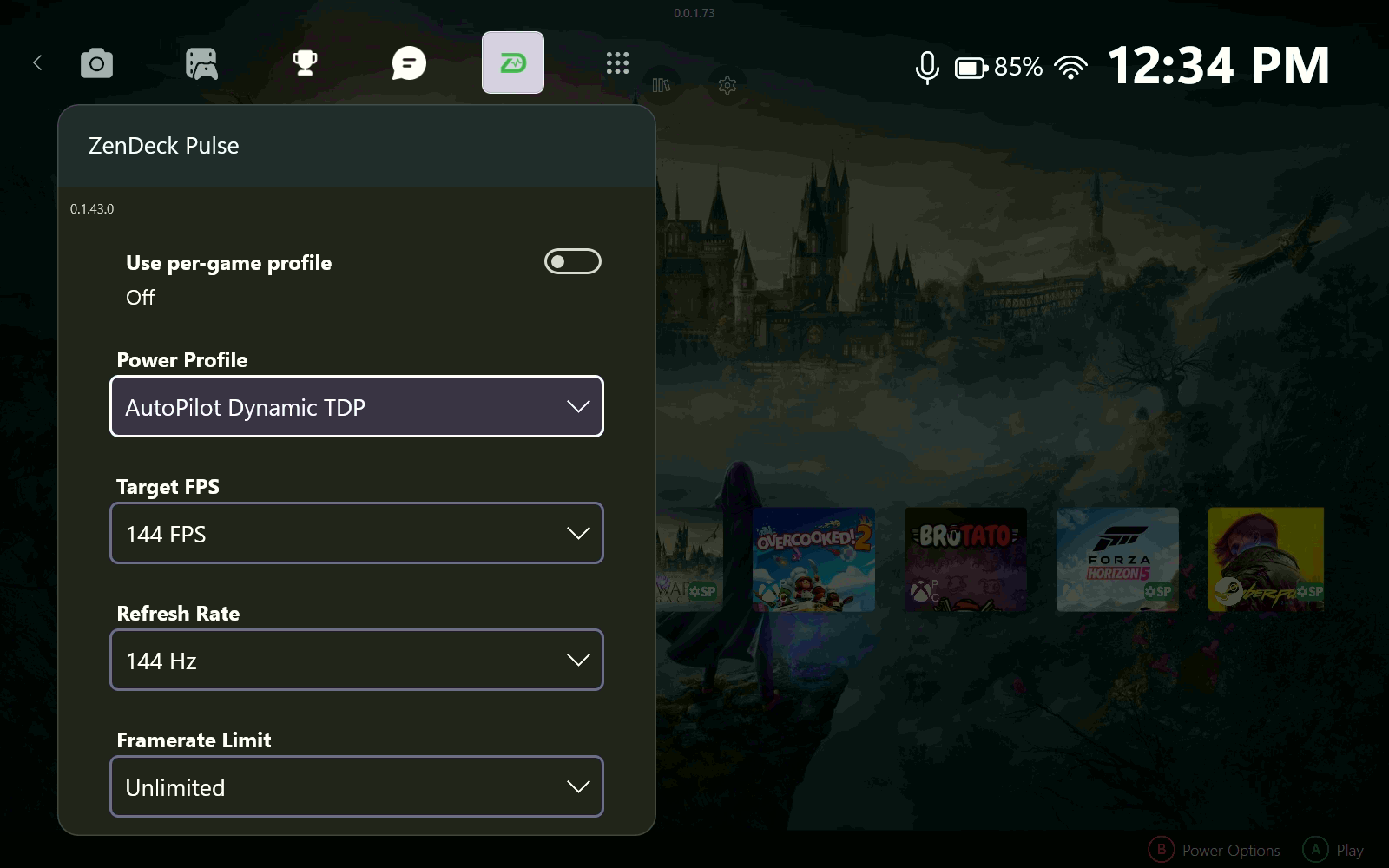
ZenDeck Pulse is a Game Bar widget that lives inside your game. Adjust TDP, refresh rate, resolution, and AMD options — RSR, AFMF, Radeon Boost, Anti-Lag, Image Sharpening — without ever dropping to the desktop.
Create per-game profiles or set a global profile that applies everywhere. Everything, from inside the game.
Designed for the way you actually hold your device. No mouse required. Just your thumbs and your games.
Optimized for every major Windows handheld PC.
Guides, deep dives, and performance results from the ZenDeck team.
Community
Share Smart Profiles. Report bugs. Shape the next version. Help build a better Windows handheld experience, together.
Join on Discord Join us on RedditFor players, by players.
Download ZenDeckv0.1.17.78 · Windows 11 required · Changelog · Need help? Join Discord
Just want to apply Smart Profiles without the launcher? Download Smart Profiles
v1.0.14 · Windows 11 required